 To Do
To Do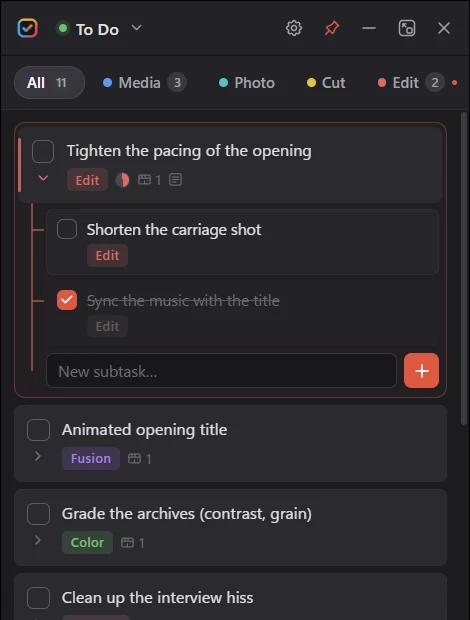
Check it off
A real done / to-do status
Every task can be checked off.
Plugin for DaVinci Resolve Studio 20+ · Windows
A real task list that lives next to your timeline. It knows which project is open and which page you’re on, syncs with your markers, and shows how far every project is.
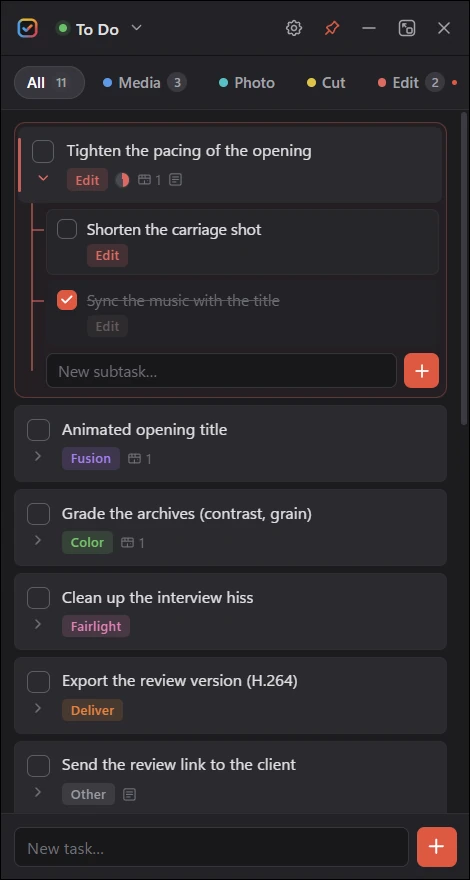
Interactive demo
Nothing to download. Below is a stage recording in the middle of the edit: check tasks, switch Resolve pages, open a task, drop markers.
Everything runs in your browser: nothing is saved or sent. The Resolve window is a simplified mock-up; the plugin panel reproduces the real interface.
Resolve alone vs. Resolve + To Do
Resolve has great markers. They point at a frame, but they can’t be checked off and they don’t add up to a view of your project.
| What you need | DaVinci Resolve Studio |  With To Do With To Do |
|---|---|---|
| Point at a frame or a clipMarkers on the timeline or on clips | Markers | Markers + linked tasks |
| Mark a task as doneWith a progress you can see | A marker exists or is deleted | Done / to-do, progress ring |
| Break a job into subtasks | Not available | Subtasks with progress |
| Tasks with no frameProxies, backups, review link, invoices | Only as free-text notes | Sorted by Resolve page |
| One list for the whole projectAcross all timelines and clips | Marker index, one timeline at a time | One list, filtered by page |
| Progress of every projectWithout opening them | Not available | Overview with progress rings |
| Search across projectsTitles, notes, timecodes, captions | Not available | Global search |
| Reusable task checklistsYour workflow, ready for the next job | Not available | Templates |
| Annotated frames linked to a taskWith a clickable timecode | Stills in the Gallery | Screenshots with pen and caption |
| A report for the clientTasks, notes and frames | Not available | PDF export |
Compared with the built-in tools of DaVinci Resolve Studio 21.
The four things that change your day
Every task can be checked off.
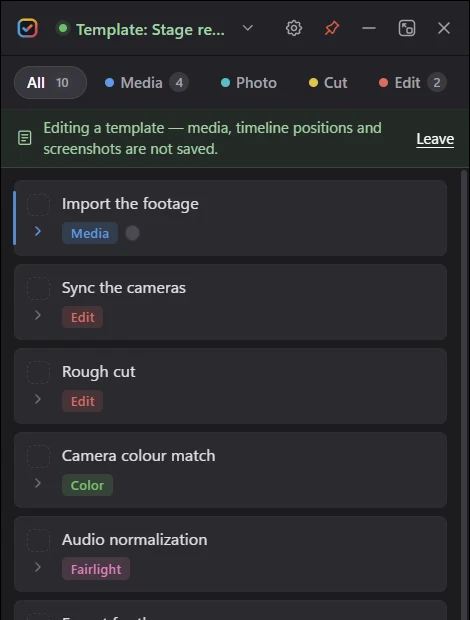
Save your steps once as a template.
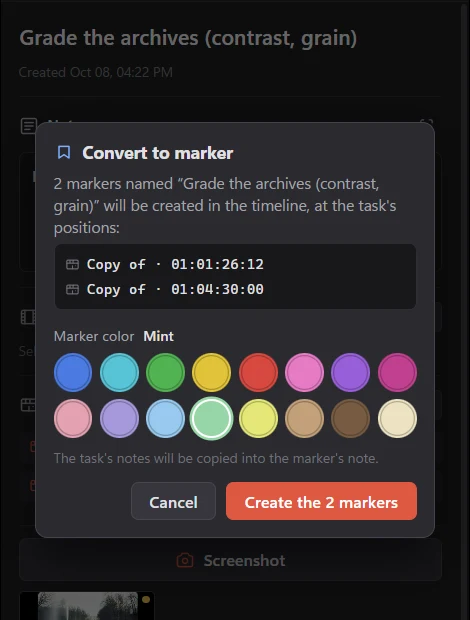
Turn a task into a marker, or a marker into a task.
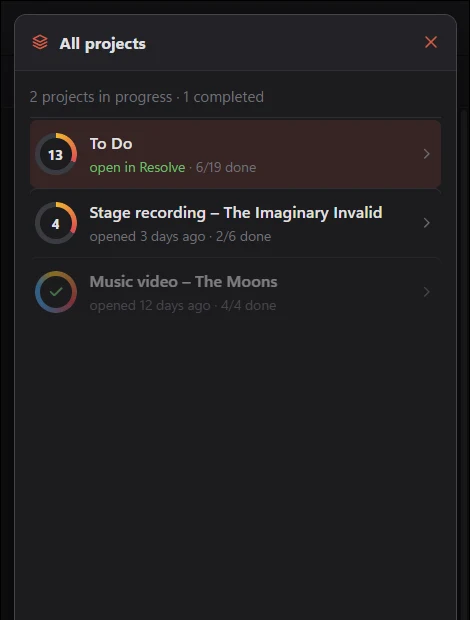
See how far each project is.
Also included
Click a card to see it larger.
From purchase to your first task
Quit Resolve, run the installer and follow the wizard.
Paste the license key from your Gumroad receipt.
Open any project: its list appears.
Before you buy
Workflow Integrations only exist in DaVinci Resolve Studio.
Questions
No.
Two.
Only once.
On your computer only.
Never on its own.
Minor updates are free.
Sales are final, except where the law requires otherwise.
Not yet.
One-time purchase · license for 2 computers · English & French
1 / 10